
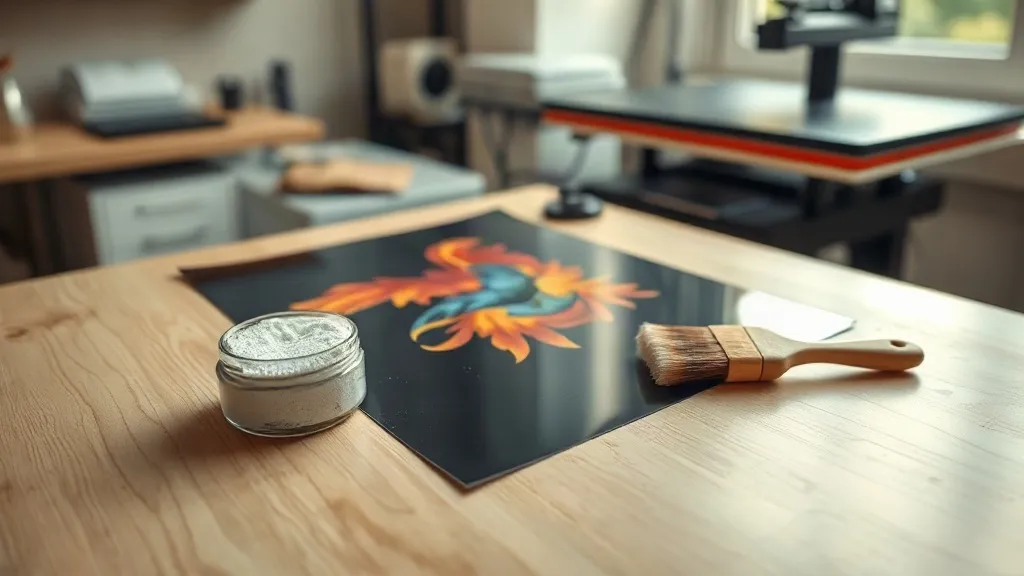
Walk into any print shop that has added custom apparel to its lineup in the past few years, and you will likely spot a small roll of film and a jar of white powder near the heat press. That setup is the visible signature of dtf transfers, a method that has quietly become one of the most practical ways to put full-color designs onto fabric without the setup cost of screen printing or the layering headaches of heat transfer vinyl.
The appeal is straightforward. A dtf transfer lets you print a detailed, multi-color image on a desktop printer, dust it with adhesive powder, cure it, and press it onto a shirt in under a minute. No color separations, no weeding tiny letters out of vinyl, and no minimum order from a wholesale supplier. For someone printing ten shirts for a local team or a hundred for a small brand, that flexibility matters more than almost any other feature.
This guide covers what DTF actually is, how the process works step by step, where it beats older methods, and the mistakes that cause most beginners to waste film and powder in their first week.
What Is a DTF Transfer, Exactly?
DTF stands for direct to film. The name describes the workflow: instead of printing directly onto a garment or onto a special transfer paper, you print your design onto a coated PET film. The printer lays down a layer of white ink behind the color inks, then you apply a thermoplastic adhesive powder to the wet ink. Once the powder is melted and cured, you have a flexible, ready-to-press transfer that can sit in a drawer for months until you need it.
That white ink layer is the reason DTF works on so many fabrics. On a dark shirt, a standard inkjet transfer would let the fabric color bleed through and mute the design. The DTF white layer acts as an opaque base, so colors stay bright whether you press onto black cotton, a navy hoodie, or a bright red polyester jersey.
How it differs from DTG and vinyl
Direct to garment printing puts ink straight onto the shirt, which gives excellent results on 100 percent cotton but struggles on synthetic blends and requires a dedicated, expensive printer. Heat transfer vinyl is cheap to start but labor-intensive, and layering multiple colors means multiple passes with precise alignment. DTF sits in a useful middle ground: modest equipment cost, broad fabric compatibility, and the ability to prepare transfers in advance and store them.
The DTF Process, Step by Step
Understanding the sequence helps you diagnose problems later. Most issues beginners blame on the printer actually trace back to powder application or press settings.
- Prepare the artwork. Mirror the design horizontally before printing, since the transfer is flipped when pressed. Use a transparent background and keep fine detail above roughly one point in size so the powder has enough ink to grab.
- Print onto film. Load the PET film into a DTF-capable printer with pigment inks. The printer deposits color, then white, in a single pass.
- Apply adhesive powder. While the ink is still wet, sprinkle powder evenly across the printed area and shake off the excess. A small powdered application box keeps this tidy.
- Cure the powder. Send the film through a heat source, either a dedicated curing oven or a heat press with the film face up, until the powder melts into a glossy, slightly textured layer. Under-curing leaves powder that flakes; over-curing makes the transfer stiff.
- Press onto the garment. Set the transfer face down on the fabric and press at the temperature and time your film and powder manufacturer specifies, usually in the 285 to 320 degrees Fahrenheit range for 10 to 15 seconds.
- Peel. Most DTF films are warm peel or cold peel depending on the coating. Follow the film spec, since peeling too early or too late can pull detail away from the shirt.
Why Small Shops Keep Choosing DTF
The economics are the strongest argument. Screen printing requires a screen per color, which means setup costs that only make sense at higher quantities. DTF costs scale almost linearly: one transfer or fifty cost roughly the same per unit, with no setup fee. That makes it viable for one-off gifts, sample runs, and small batch drops that would lose money on a screen press.
Fabric versatility is the second big advantage. Cotton, polyester, blends, canvas totes, and even some nylon jackets all accept DTF transfers well. If you run a shop that handles whatever customers bring in, that range removes a lot of awkward conversations about what you can and cannot print on.
Storage is the quiet third benefit. Printed transfers keep for months if stored flat, cool, and dry. You can print a batch on a slow Tuesday and press orders as they come in, which smooths out production instead of forcing you to print and press in the same session.
Common Mistakes and How to Avoid Them
Using too much powder
New users tend to bury the design in adhesive, assuming more is better. Excess powder creates a thick, plasticky feel and can leave a visible halo around the edges of the print. Sprinkle, then shake firmly. The ink should look evenly coated, not caked.
Ignoring fabric heat sensitivity
Polyester blends can scorch or show press marks at higher temperatures. Test on a scrap of the same fabric, and consider a pressing pillow or a protective sheet if the garment has seams, zippers, or buttons that create uneven pressure.
Pressing with uneven pressure
A heat press that is not level will produce transfers that stick at the center and peel at the edges. Check your press with a pressure test, and remember that thicker garments may need a slightly firmer setting than a thin t-shirt.
Skipping the wash test
Before committing to a large order, press one sample and run it through a normal wash and dry cycle. This single habit catches most durability problems before they reach a customer.
Equipment You Actually Need to Start
A basic DTF setup includes a DTF printer, PET film, adhesive powder, a curing method, and a heat press. The printer is the largest expense, and there is a real gap between entry-level converted printers and purpose-built machines. If you are testing the waters, many people start by ordering ready-made transfers from a supplier and pressing them in-house, which lets you learn press settings and fabric behavior before investing in a printer.
For anyone searching for dtf transfers near me, the practical advice is to request a sample pack first. Compare how the transfers feel, how they stretch, and how they hold up after washing before placing a bulk order. A supplier who cannot provide a sample is a supplier worth skipping.
Frequently Asked Questions
How long do DTF transfers last on a shirt?
With correct pressing and normal care, most DTF prints hold up for dozens of washes. Washing inside out in cold water and avoiding high dryer heat will noticeably extend the life of the print.
Can you use DTF transfers on 100 percent polyester?
Yes, and this is one of the method's biggest strengths. Polyester and polyester blends press well with DTF, though you should lower the press temperature slightly to avoid scorching or shine marks on the fabric.
Do DTF transfers crack or peel over time?
Cracking usually comes from under-cured powder or too little pressure during pressing. Peeling at the edges typically points to uneven pressure or pressing before the garment has cooled and settled. Fixing those two variables solves most durability complaints.
Is DTF more expensive than vinyl?
Per unit, DTF is often cheaper for multi-color designs because there is no weeding labor and no layering. For a single-color design in small quantities, vinyl can still be more economical, so it depends on the job.
Can I print DTF transfers at home?
Yes, with a DTF printer and proper ventilation. The powder curing step produces fumes, so a well-ventilated room or a small extraction setup is worth the investment before you start printing regularly.